SEO Services
Technical SEO, on-page optimization, content and white-hat link building, planned around the pages that earn revenue.
CMS SOP · SEO SERVICES & SEO SOFTWARE
White-hat SEO, SEM, social media, GEO, content marketing and website construction, led by 16 years of hands-on Google SEO. Prefer to do it in-house? Choose from six focused Windows SEO tools.
Windows x64 · Multilingual interfaces · Separate product licences
Your tools. Your workflow.
Choose each application individually.
A practical toolkit for every step of your SEO work
SEO · SEM · SOCIAL MEDIA · GEO · CONTENT · WEBSITES
Every service is led by 16 years of hands-on Google SEO experience and follows Google’s guidelines: no ranking guarantees, no link schemes, a written proposal before work starts.
Technical SEO, on-page optimization, content and white-hat link building, planned around the pages that earn revenue.
Google Ads and Microsoft Ads campaigns managed for cost per lead and return on ad spend, with tracking you can trust.
Social media strategy, content, community management, paid social and influencer campaigns on the platforms your buyers use.
Generative engine optimization so AI Overviews, ChatGPT and Perplexity can find, understand and cite your brand.
Content strategy, SEO content writing, video and distribution that answer real customer questions.
Website construction: SEO web design, WordPress and ecommerce builds and landing pages that load fast and convert.
A CLEARER WAY TO WORK
Source material, brand context, content review and WordPress publishing in one workspace.
Discover SEO StudioA CLEARER WAY TO WORK
A local SEO reference and HTML preflight workflow for collecting evidence and organizing fixes.
Discover SEO ConsoleA CLEARER WAY TO WORK
Filter domain and backlink data, then export a research set using your own provider access.
Discover Domain AnalyzerA CLEARER WAY TO WORK
Organize domains by score and relevance before handing a reviewed prospect list to your team.
Discover Backlink ResearchA CLEARER WAY TO WORK
Match two local lists, compare candidate pages and export a mapping you can review.
Discover Keyword MatcherA CLEARER WAY TO WORK
Review local articles, images and SEO fields in site-specific WordPress publishing batches.
Discover WordPress PublisherTHE CMS SOP COLLECTION
Six independent products. Read the workflow and requirements before buying. Each price covers only the named application.
Source material, brand context, content review and WordPress publishing in one workspace.
Explore toolA local SEO reference and HTML preflight workflow for collecting evidence and organizing fixes.
Explore toolFilter domain and backlink data, then export a research set using your own provider access.
Explore toolOrganize domains by score and relevance before handing a reviewed prospect list to your team.
Explore toolMatch two local lists, compare candidate pages and export a mapping you can review.
Explore toolReview local articles, images and SEO fields in site-specific WordPress publishing batches.
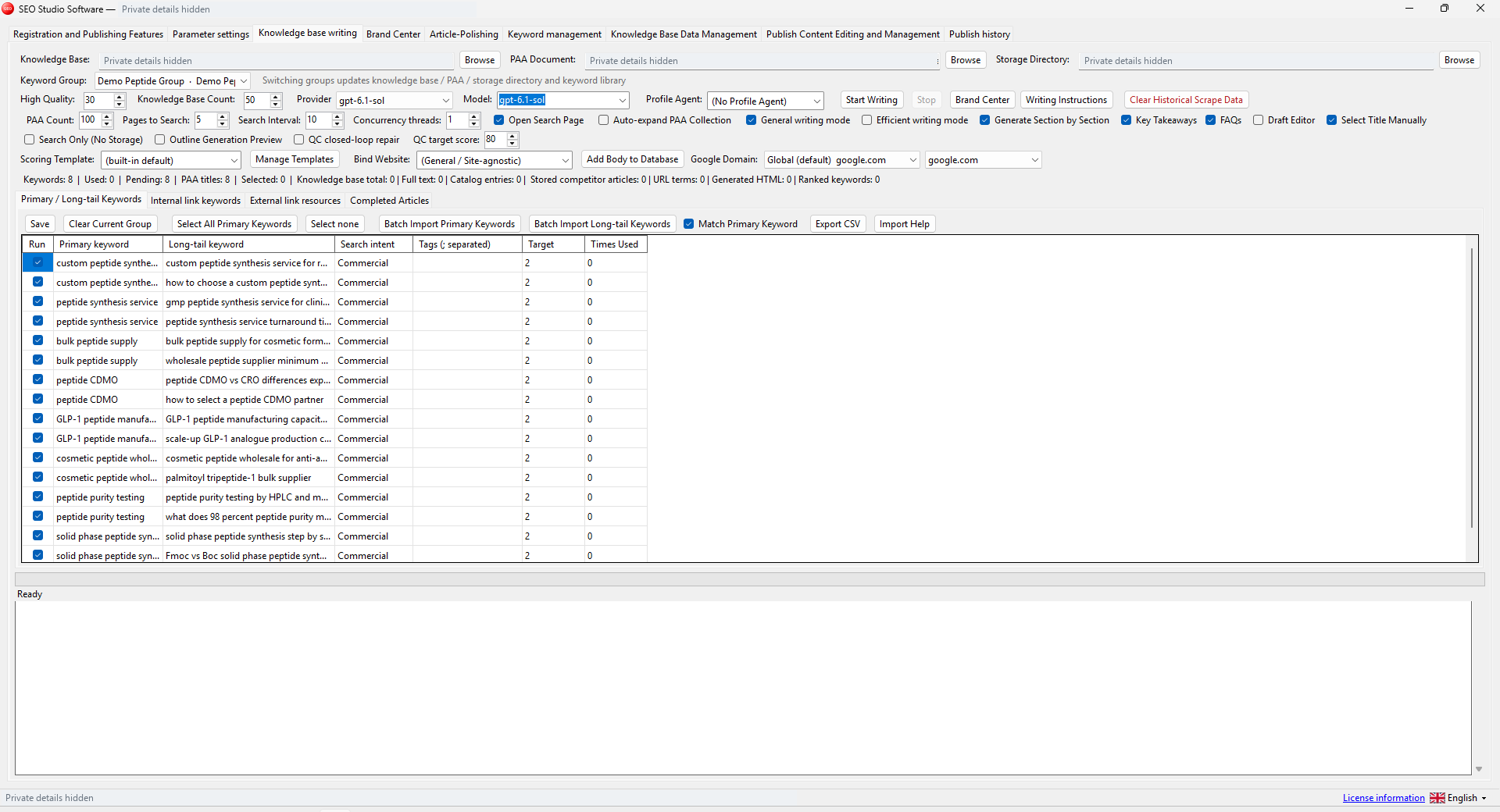
Explore toolInside SEO Studio
Bring your source material, brand knowledge and writing workflow together. Review the details before your content goes live.
YOUR EXISTING WORKFLOW
Prepare content for WordPress, work with your own research providers and carry your reviewed data between applications.
Read the workflow guide →Keep a usable record of the research and mappings you choose to export.
Prepare articles and media for your own WordPress sites.
Use your own supported AI and research accounts where required.
Find purchased software, orders and activation information together.
Run your tools on a Windows 10 or 11, 64-bit computer.
Check requirements and follow the guide for each application.
DESKTOP AND ONLINE
Download your Windows applications or use their core workflows online with the corresponding license.
Choose your application, sign in to your customer account and download the Windows package included with your license.
Match keywords, check pages, research domains and backlinks, write articles and publish to WordPress. Your corresponding desktop license includes limited online tasks.
Feature scope and daily limits are shown in your workspace. Research and writing use your own API keys; WordPress uses an application password.
Open online workspace →SIMPLE, INDIVIDUAL LICENSES
Choose the software you need. Each application has its own license and price.
Connect your content workflow
Review technical SEO findings
Research a list of domains
Review backlink prospects
Map keywords to existing URLs
Prepare and publish articles
Third-party AI, research data, hosting and paid plugins are separate. Each corresponding desktop license includes limited online use. Review each product's requirements before purchase.
A clear view of what is available today and what comes next.
| Capability | Windows desktop | Online SaaS |
|---|---|---|
| Availability | Available with an eligible license | Six core workflows with documented limits |
| Access | Download and run the EXE package | Web browser |
| Applications | Six separately licensed products | Six core workflows; feature scope varies |
| Processing | On your Windows computer | Server background tasks |
| Data providers | Your own supported provider access | Your Semrush / model API keys and WordPress access |
| Pricing | Current product prices above | Limited use with the corresponding license |
FOR YOUR TEAM
Tell us which tools, websites and people need to work together.
Talk about your workflow →FROM THE FIRST TASK TO THE NEXT

Start with domain and backlink research. Keep relevant prospects and organize your technical findings.
Explore this workflow →
Map keywords to URLs and build content with source material, brand context and a review process.
Explore this workflow →
Prepare your articles and media, choose the destination and review each publishing batch.
Explore this workflow →GOOD TO KNOW
Yes. The six applications are sold separately. Check the product page for its price, license term and requirements. SEO Studio is not a bundle license for all six products.
Sign in to your customer account after your purchase is fulfilled. Open the eligible license and download its Windows ZIP package. Extract the folder, run the EXE and use your activation details.
All six tools have core online workflows with the corresponding desktop license and daily limits. Online editions have a narrower feature scope than the desktop apps; check each workspace form for supported inputs, provider requirements and limits.
Supported third-party services may require your own account, API access or paid plan. Those costs are separate from the desktop software license. Read each product guide for the exact requirements.
Your next step starts here
Explore the features, review the requirements and choose the software you need.
Explore software →PRACTICAL SEO GUIDES
Plan keyword coverage, check on-page details and review AI-assisted content before publishing.
Give each query family a useful destination and review uncertain matches.
Check titles, descriptions, headings, images and internal links.
Build answers from evidence and understand the limits of citation tracking.