A source-based draft starts with information you can inspect. Before asking SEO Studio to write an article, decide who it is for, what question it should answer and which source supports the answer. This guide takes one article from a small brief to a reviewed draft. It does not assume that a generated article is ready to publish.
Choose one question and a useful result
Start with a narrow job. For example, a supplier might explain what a buyer should send before requesting a quotation. The finished article should give that buyer a clear preparation checklist. A second example is a software guide explaining how to import a small file and inspect the output. Both briefs have a result a reviewer can check.
Write down the intended reader, the main question, the destination page and the claims that need proof. Keep this brief beside your files. The content brief guide explains how to separate facts, examples and writing instructions.
Prepare a small knowledge set
Use a few current, relevant documents before adding a large library. Product specifications, approved service descriptions and your own process notes are useful starting points. Give files clear names and check that their contents can be read. Do not add customer records, passwords or licensed material that you are not permitted to use.
| Source | What to check | Use in the draft |
|---|---|---|
| Product specification | Version and approval date | Supported features and limits |
| Process note | Current steps and owner | Instructions the reader can follow |
| Illustrative example | Clearly identified as an example | Explain the process without claiming a customer result |
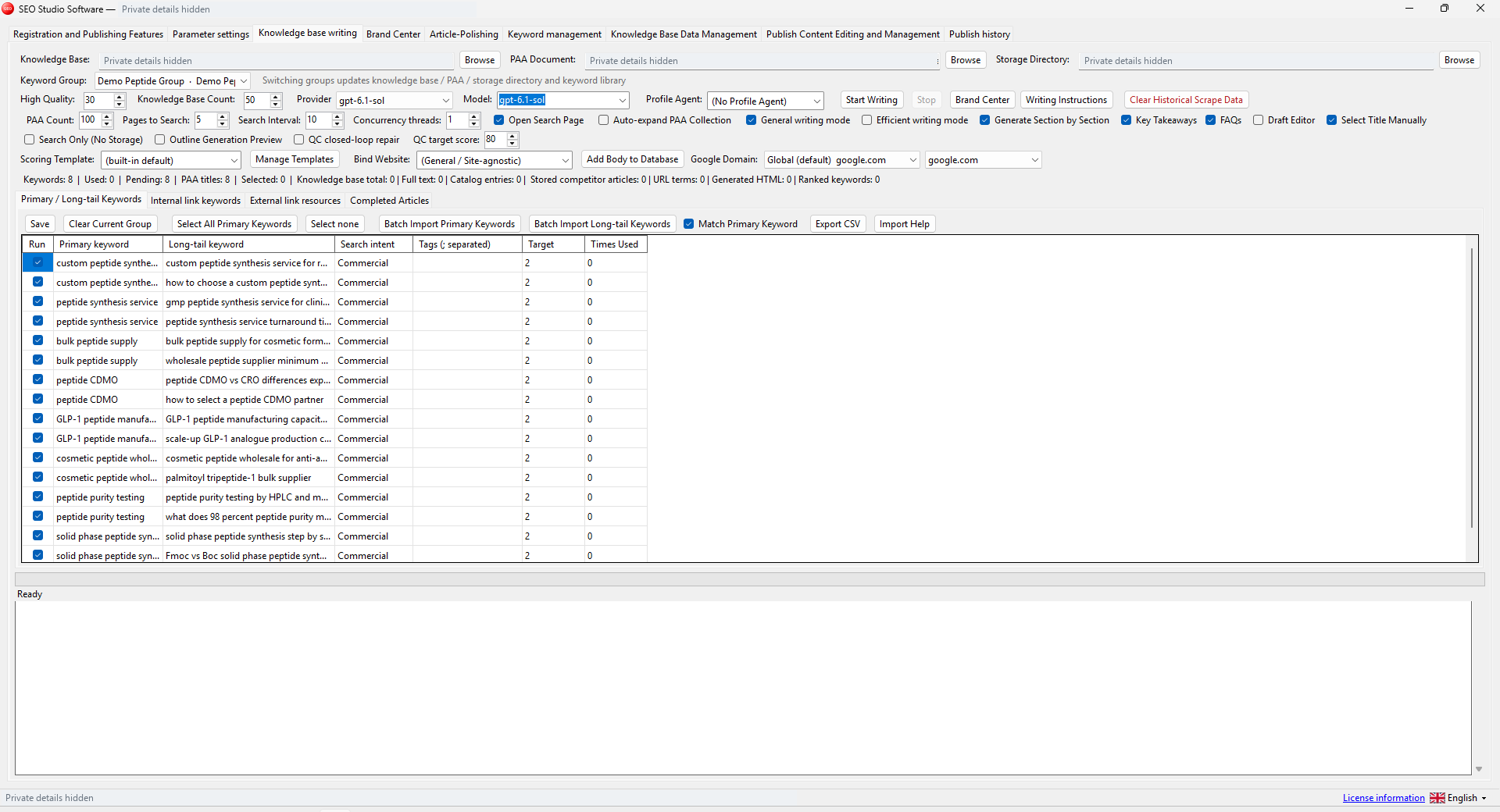
In the knowledge-writing workspace, select the keyword group and confirm the knowledge, question document and storage paths. Check the website binding too. A draft intended for one site should not silently inherit another site's brand context.
Generate one draft with controlled settings
Choose a provider and model available through your own account. Confirm any external usage charges before starting. Use a small number of selected keywords and modest concurrency for the first run. A successful setup is easier to diagnose when only one article is being processed.
Review the outline if that option is part of your chosen workflow. Look for an answer near the beginning, a practical example and a useful next step. If the outline repeats the same point under several headings, revise the brief before generating more text. Save the output in a folder you can identify later.
Review claims before polishing the wording
Open the source-based draft next to the source material. Trace each product claim, quantity and promise to evidence. Remove unsupported figures and quotations. Check names, dates, internal links and whether the article actually resolves the reader's question. A readability score can highlight sentences to inspect, but it cannot validate the facts.
Google's people-first content guidance emphasizes useful, reliable material created for readers. Use that as a reason to make the article specific and supportable, rather than as a promise that using a writing tool improves rankings.
Hand off a reviewed article
Keep the brief, source versions and approved article together. Record any claims that still need a decision. Only move the reviewed copy into your publishing process. Start with the SEO Studio product page, then use the content review checklist before the article goes live.