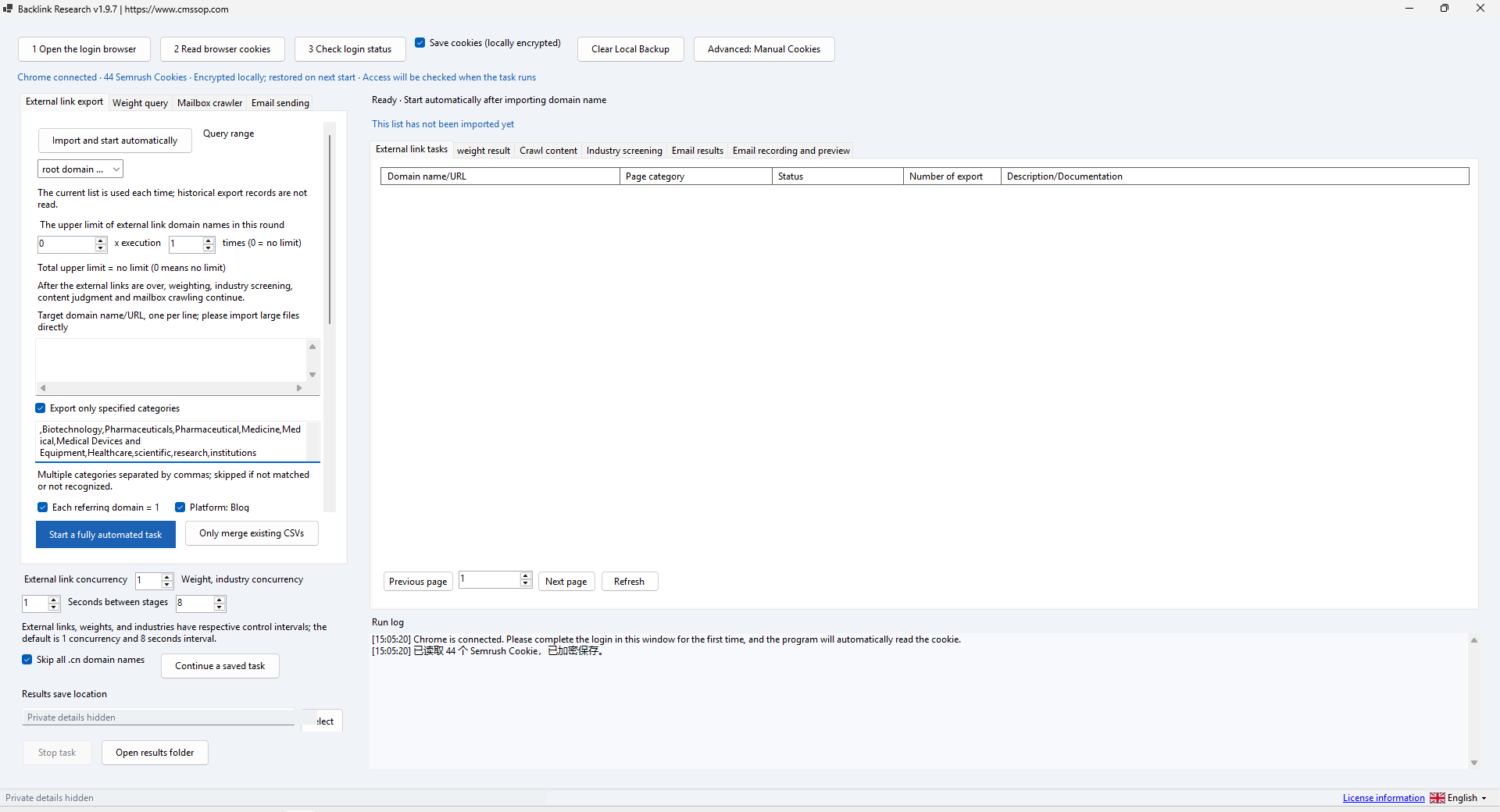
A backlink prospect shortlist is a research document, not a sending list. Its value comes from explaining why each website may be relevant and what still needs to be checked. Backlink Research can help organize collection, scoring, content checks and export. Start with the research decision rather than a target number of contacts.
Write a relevance rule first
Define the audience, subject and kind of page you want to review. For example, a software company might look for technical tutorials that help the same users. A manufacturer might review specialist publications that discuss the relevant production process. These are illustrative research scopes, not claims about successful placements.
Decide what should be excluded as well. An unrelated directory, a page with no editorial context or a website that cannot be inspected may not belong in the first shortlist. Keep the rule short enough that another reviewer can apply it consistently.
Check the collection settings
Use your own authorized provider account. Confirm the login status, query range, category filters and result folder before importing domains. Start with a small list and conservative concurrency. A stored browser session does not guarantee that a particular provider request is allowed.
Category filters narrow a provider response; they do not replace reading a page. If a familiar website disappears from the result, inspect the active filters and status log before deciding that it has no relevant data. Keep original exports so you can repeat the review with a different scope.
Record a decision for each candidate
| Review field | Example entry |
|---|---|
| Topic fit | Publishes tutorials for the intended reader |
| Evidence URL | A specific page inspected by the reviewer |
| Decision | Keep, exclude or investigate |
| Reason | Relevant content, but contact route still unconfirmed |
Open a few pages and inspect their actual content, purpose and audience. A provider score can help order the review, but it is not evidence of a guaranteed ranking benefit. If two reviewers disagree, record the reason and refine the relevance rule rather than hiding the uncertainty.
Keep research and outreach separate
An address discovered on a website is not, by itself, permission to send a message. Decide whether outreach is appropriate, identify the right contact route and review the message separately. Do not turn a large export into an automatic campaign simply because the software has sending controls.
For a first run, finish the backlink prospect shortlist without sending anything. This makes it easier to inspect duplicate handling and relevance decisions. It also prevents a setup mistake from becoming an unwanted message to a real person.
Make the export useful to the next reviewer
Include the domain, evidence page, decision, reason and review date in your working sheet. Remove unnecessary personal information. Keep credentials and browser cookies in the application, not in the research file. Preserve enough context to explain why a candidate was included.
Check the Backlink Research product scope and the domain research comparison. If the first shortlist contains entries you cannot explain, improve the review rule before collecting more domains.