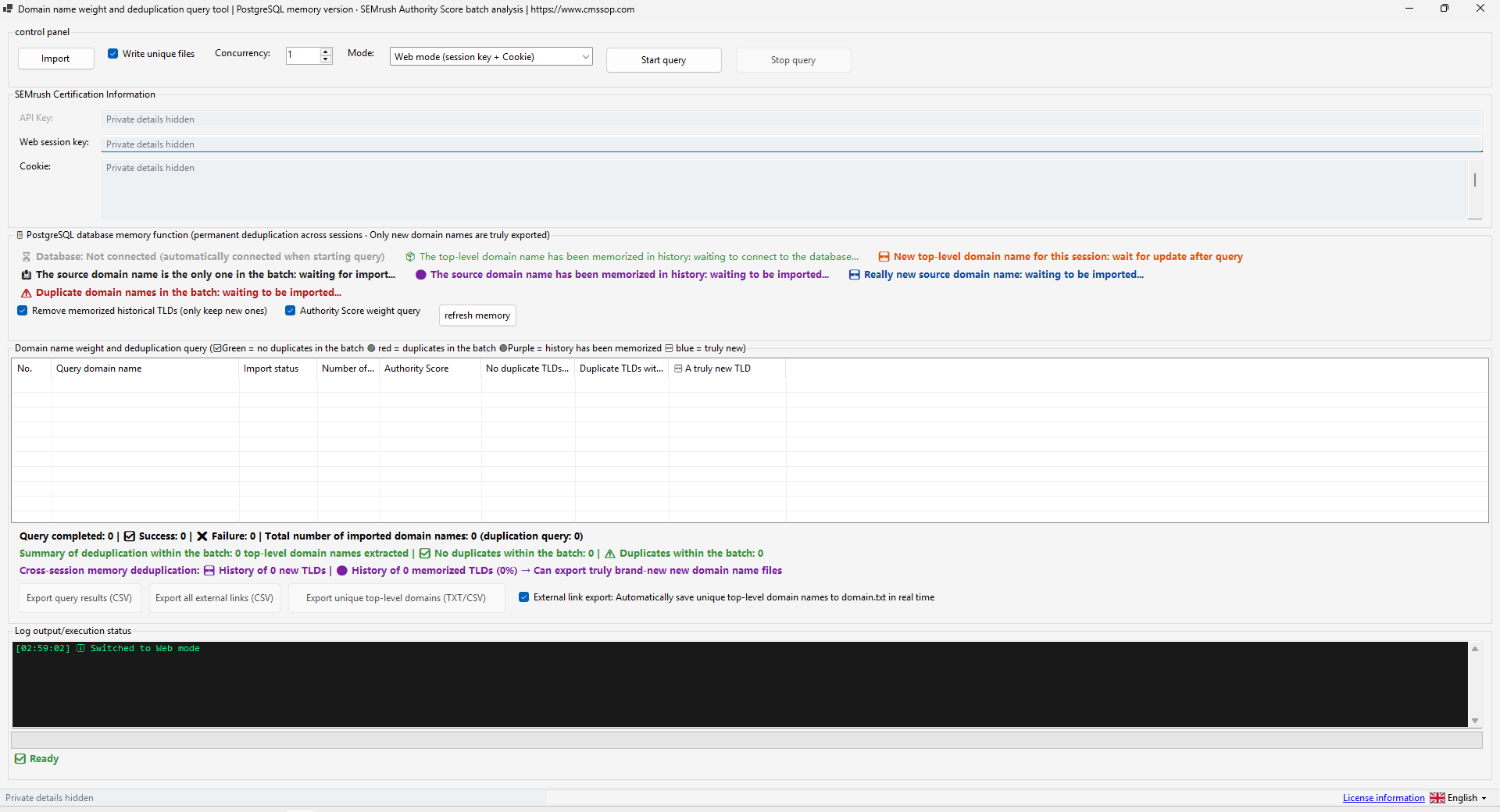
A clean domain list makes a research run easier to understand. Before using Domain Analyzer, decide which websites belong in the batch, what you want to learn and how you will use the export. Keep a copy of the original list so you can explain any changes made during preparation or processing.
Prepare a small, traceable input
Use a plain text file with one domain or supported website URL per line. Remove spreadsheet headings and empty lines. Keep notes about where the list came from in a separate file. An export intended for research should not contain account passwords, cookies or API keys.
For an illustrative check, include two records from the same website and one unrelated domain. The purpose is to see how the application presents repeated input and root-domain information. Do not assume that different subdomains or URL paths should always be merged for your business decision.
Confirm access before increasing the batch
Select the access mode that matches your own provider entitlement. Check the API or web-session settings inside the application, then try a small request. A regular provider subscription does not necessarily include every API capability. Stop and inspect an authorization error instead of raising concurrency.
Keep credentials out of screenshots and exports. If you send support a configuration screenshot, cover the entire value of every key and cookie field. A blurred or partly covered secret may still reveal useful information. The published Domain Analyzer screenshot uses opaque privacy masks.
Understand the duplicate scope
| Question | Why it matters |
|---|---|
| Is a value repeated in this batch? | A repeated input can inflate a record count. |
| Has this domain appeared in saved history? | A historical match depends on the available database. |
| Is this a new referring domain? | The research output may use a different scope from the input list. |
Read the status labels before treating an item as new. Persistent history depends on a working PostgreSQL connection and the data already stored there. An unavailable database is not proof that a domain has never been seen. Start with a known example and inspect the result.
Use provider scores as context
Semrush describes Authority Score as a composite metric and recommends using it comparatively. It is not a Google score or a guarantee that a potential link is relevant to your audience.
Compare domains with a similar role and topic. A specialist publication and a broad directory may have different uses even when one score is higher. Record the reason you kept or rejected an entry, and include the date of the provider data when you share the research.
Inspect the exported domain list
Open the file in the application that will use it next. Check encoding, headings, separators, duplicate treatment and the meaning of the count fields. Confirm that a few known records appear as expected. If a filter returns an empty file, distinguish a legitimate empty result from a failed request.
Keep the input, settings and reviewed output together. Increase the batch only when the sample is understandable and repeatable. Use the Domain Analyzer and Backlink Research comparison to decide whether your next task is domain analysis or a more detailed prospect review.