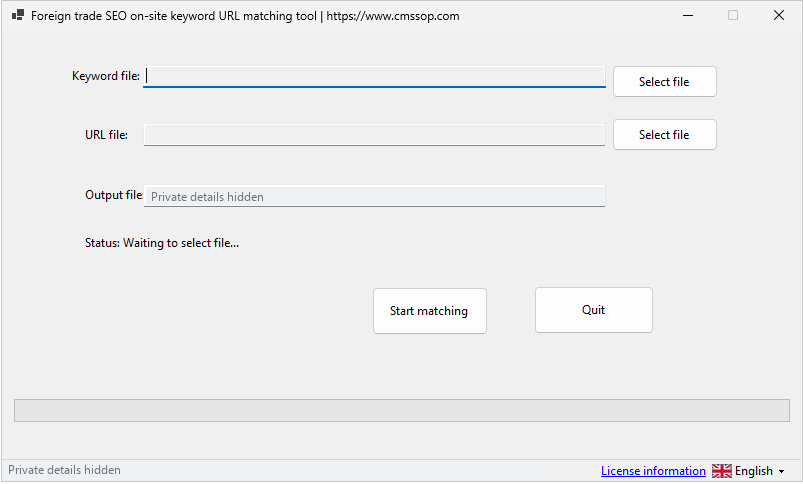
Unmatched keywords are a prompt to investigate, not an instruction to create more pages. Keyword Matcher compares a local keyword list with an existing URL list. A weak or missing candidate may come from the input, the wording of a URL or a gap in the website. This guide helps you separate those cases before editing content.
Start with valid plain-text files
Prepare one keyword or phrase per line and one complete URL per line in separate UTF-8 TXT files. The current desktop file picker accepts TXT input; do not select an Excel workbook and assume its cells will be read. Export the required column to plain text first, then inspect the exported file.
Keep a copy of the original files and use a new output path. For a small sample, include an obvious match, a wording mismatch and a phrase unrelated to the website. A sample you can explain is more useful than a large first run with no known result.
Read the destination before accepting a match
| Illustrative keyword | Candidate | Review question |
|---|---|---|
| software licence price | A pricing page | Does it explain this product's cost and term? |
| install the publishing tool | A setup guide | Does it contain the actual installation steps? |
| refund for a duplicate payment | A refund policy | Does it explain the right contact and evidence? |
Shared words do not establish shared intent. A product page and a troubleshooting article may mention the same application but serve different tasks. Record whether the destination answers the query and what the visitor should do next.
Classify unmatched keywords
First check for input problems such as headings, extra columns, blank lines or truncated URLs. Next, search your own site for a relevant page whose URL uses different wording. The tool may not identify that relationship even when a human reader can.
If no useful page exists, decide whether the question belongs on an existing page or deserves a separate resource. For example, a short explanation of an import format may fit the installation guide. A substantial troubleshooting workflow may need its own article. Give a new page a clear purpose before adding it to the map.
Keep one decision record
Use a review sheet with the keyword, suggested URL, accepted destination, decision and reason. Group phrases that describe the same task. Do not force every phrase onto a separate URL or place the whole list into every title and heading.
Google's SEO starter guide recommends descriptive titles, useful content and clear links. Use a keyword map to organize those elements around the page's purpose, rather than to repeat phrases mechanically.
Check the map after publishing changes
Open changed destinations and confirm that the title, main heading and content agree. Check internal links and redirects if a URL changed. Keep the reviewed map as a dated planning document; it is not a guarantee of indexing or ranking.
Read the Keyword Matcher details, the mapping workflow and the on-page checklist. Begin with the unmatched keywords that represent a real customer task.