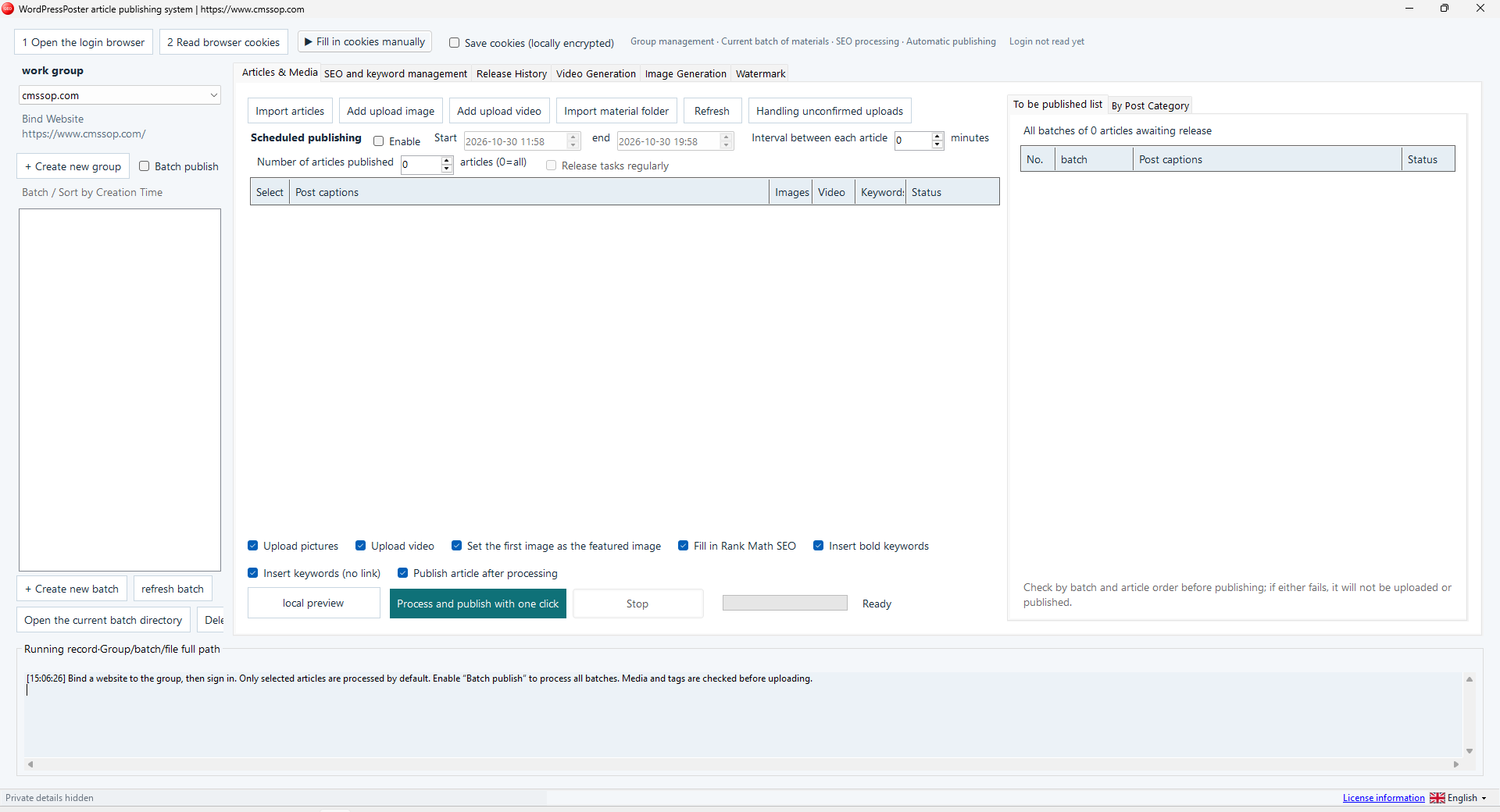
A WordPress staging batch lets you test the whole publishing path with content you can safely inspect. Use one article, a website you control and an image you have permission to publish. The goal is to confirm the destination, media handling and final page before placing a larger queue in front of the tool.
Confirm the group and website
Select the intended work group and read its bound website address. Check the browser login for that destination. A familiar browser window or saved session does not prove that you are signed in to the right website with the right permissions.
Keep production and staging work in clearly named groups. For example, use separate groups for a main website and its test copy. Confirm the selected group again before importing a folder containing articles intended for different sites.
Build a batch you can inspect
| Item | First-run check |
|---|---|
| Article | One clearly named file with a reviewed title and body |
| Image | A permitted image with the intended caption and alternative text |
| Category | An explicit selection that exists on the target site |
| Publish controls | The intended action, schedule and article selection |
Read the selected article count and the batch-publishing option before starting. The current interface distinguishes selected articles from a broader batch run. Do not assume that opening one batch automatically restricts every action to it.
Review the publishing options
Check image and video upload switches, featured-image behavior, keyword options and any connected SEO fields. Only enable an option when you understand what it changes. If you intend to review the article in WordPress before making it public, verify the relevant action and resulting status on the test site first.
Use local preview to catch obvious formatting and link problems, but do not treat it as the final WordPress result. The active theme, editor, plugins and permissions can affect what visitors see. A second useful sample is an article containing a heading, a list and an internal link, so you can inspect several formatting cases at once.
Check the result on WordPress
Open the resulting record in the WordPress administration area and inspect its status, category, author and media. Then open the visitor-facing URL when appropriate. Check the page title, headings, links, image loading and mobile layout. Record the result before retrying anything that appears unfinished.
An unclear response should be investigated before another upload. Confirm whether the article or media already exists to avoid creating duplicates. Keep the run log and identify the exact file and destination involved.
Keep staging and indexing decisions separate
WordPress documents its search-engine visibility option in the Reading settings guide. Review the intended setting for each environment. A staging site may need access controls as well; a search preference does not make private material confidential.
Once the WordPress staging batch behaves as expected, repeat the same review on a small production batch. Read the WordPress Publisher scope and keep the publishing checklist beside your workflow. Increase volume only after the destination and output are reliable.