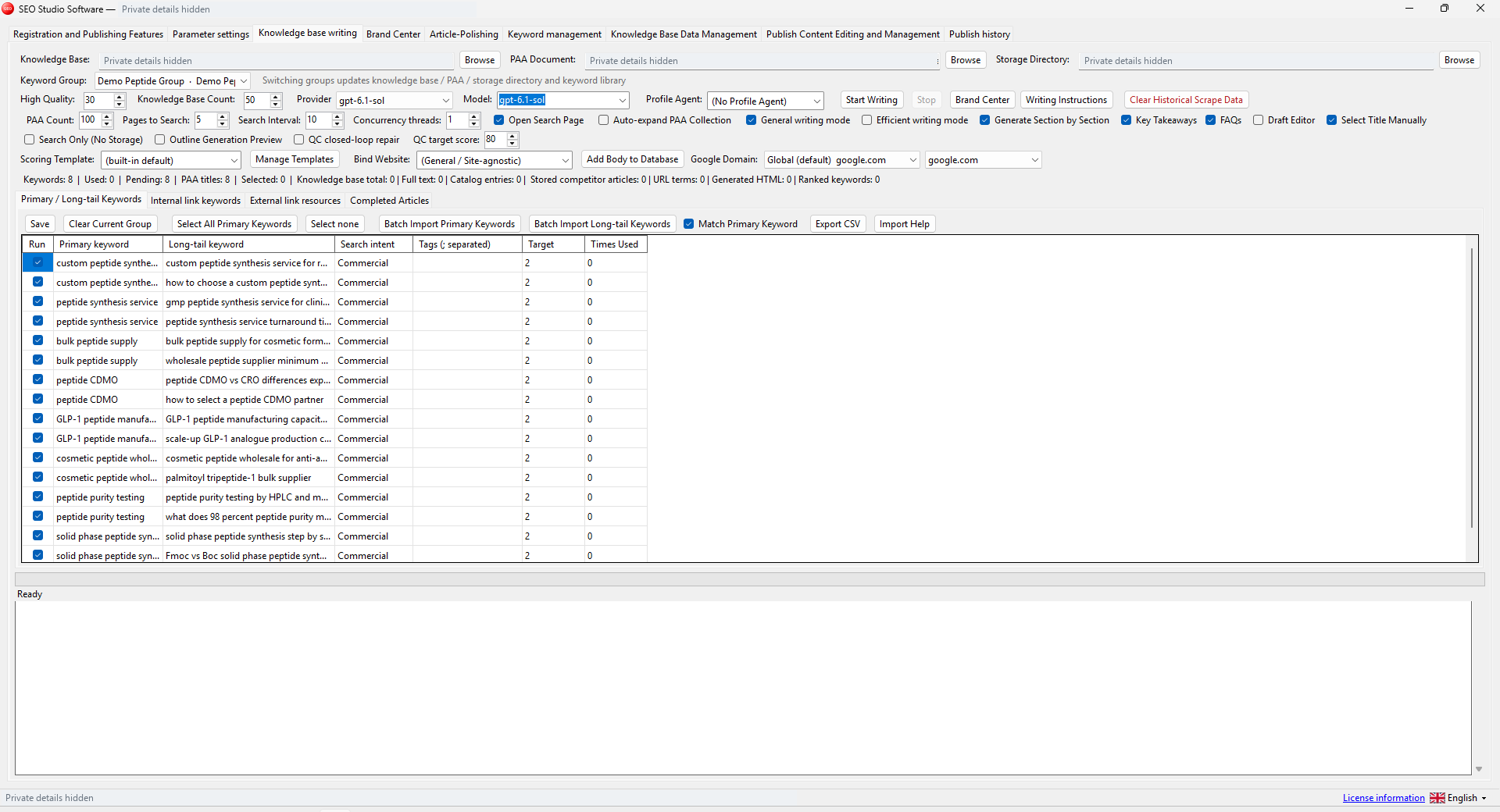
This multilingual desktop update brings the product pages into line with the current Cms Sop Windows interfaces. The six sales pages now show recent English-interface screenshots supplied from the applications. You can open the images at full size to inspect the controls before deciding which tool fits your work.
Six applications, six separate jobs
| Application | Workflow shown |
|---|---|
| SEO Studio | Knowledge-based writing and keyword preparation |
| SEO Console | Local reference and bounded HTML inspection |
| Domain Analyzer | Domain input, provider access and duplicate controls |
| Backlink Research | Prospect collection and research stages |
| Keyword Matcher | Local keyword and URL file matching |
| WordPress Publisher | Website groups, batches and publishing options |
The applications remain independently licensed. Buying a broader content workspace does not automatically include the other five desktop products. Compare the task, inputs and third-party access requirements on the software collection page.
What a language change does
The current builds offer a language selector and include multilingual interface resources. The recent source review addressed labels, choices, status messages and application-owned logs. English was the main language reviewed in the supplied screenshots. Some newly added translations use machine assistance and have not all received native-language editorial review.
A language choice does not translate every piece of customer data. A website title, file path, keyword, source document or provider error may remain in its original language. For example, an English interface can still display a Chinese keyword imported by the user. That is different from an untranslated button label.
What the screenshots demonstrate
The images show application layouts and controls. They do not demonstrate successful paid provider requests, delivered outreach messages, a live search ranking result or a completed customer project. Several views deliberately show an empty queue or a small preparation sample.
Private keys, session cookies, licence identifiers and local paths have been covered before the screenshots were placed on the website. The full-size images preserve the rest of the supplied interface. Open a product image to inspect it rather than relying on the small catalogue thumbnail.
Check the package and your own workflow
Current distribution packages target Windows x64 and include the .NET runtime. Browser components, provider accounts and website permissions may still be needed for the feature you choose. Keep each product in its own writable folder and retain any supporting files included with the package.
Use a small first-run sample after installing or updating. For instance, compare a handful of keyword and URL entries, or prepare one article on a staging website. If a label is unclear, include the product, selected language and a redacted screenshot in a support message.
Continue with the software selection guide, installation and first-run guide and UK BIG SEA support information. The multilingual desktop update changes the presentation, not the need to review important outputs.